NFC Card Not Working? 10 Fixes for Phones and Cards
Most NFC cards that "stopped working" are fine. The problem is usually the phone's settings, the tap position or the data on the chip. Work through these ten fixes.
An NFC card not working is one of the most common support messages printers and resellers receive. The good news is that most cards are fine. In our experience supplying NFC cards across Pakistan, the large majority of “not working” cases are caused by the phone, not the card: NFC switched off, the card held against the wrong part of the phone, or a thick case in the way.
This guide gives you ten fixes in the order that solves most problems fastest. Start with the phone, then check the data on the card, and only then consider that the card itself is damaged. At the end, we explain how to prevent NFC not working complaints when you sell cards to clients.
First: is it the phone or the card
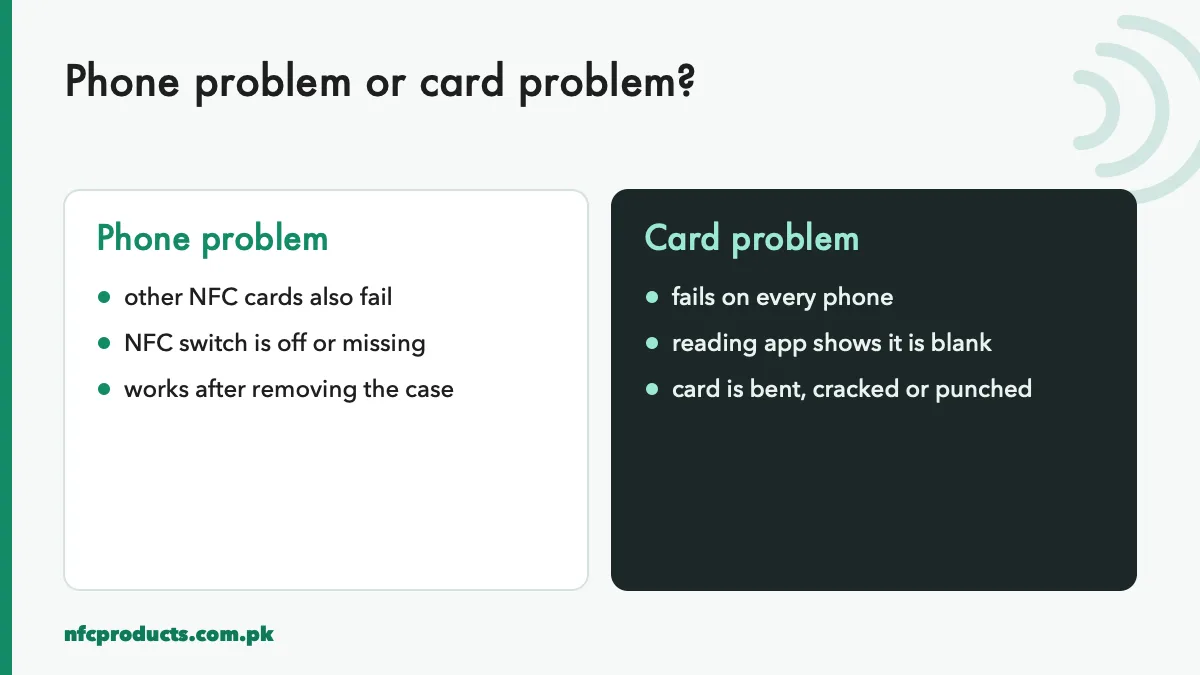
Before trying fixes, answer one question: does the card fail on every phone, or only on one?
Test on a second phone before blaming the card.
If other NFC cards also fail on the same phone, the problem is the phone.
If the card fails on two or three different phones, the problem is the card or its data.
If it works on Android but not iPhone (or the reverse), the problem is usually the data format.
Keep one known-good NFC card or sticker with you when testing. It saves a lot of guesswork.
Phone-side fixes for NFC not working
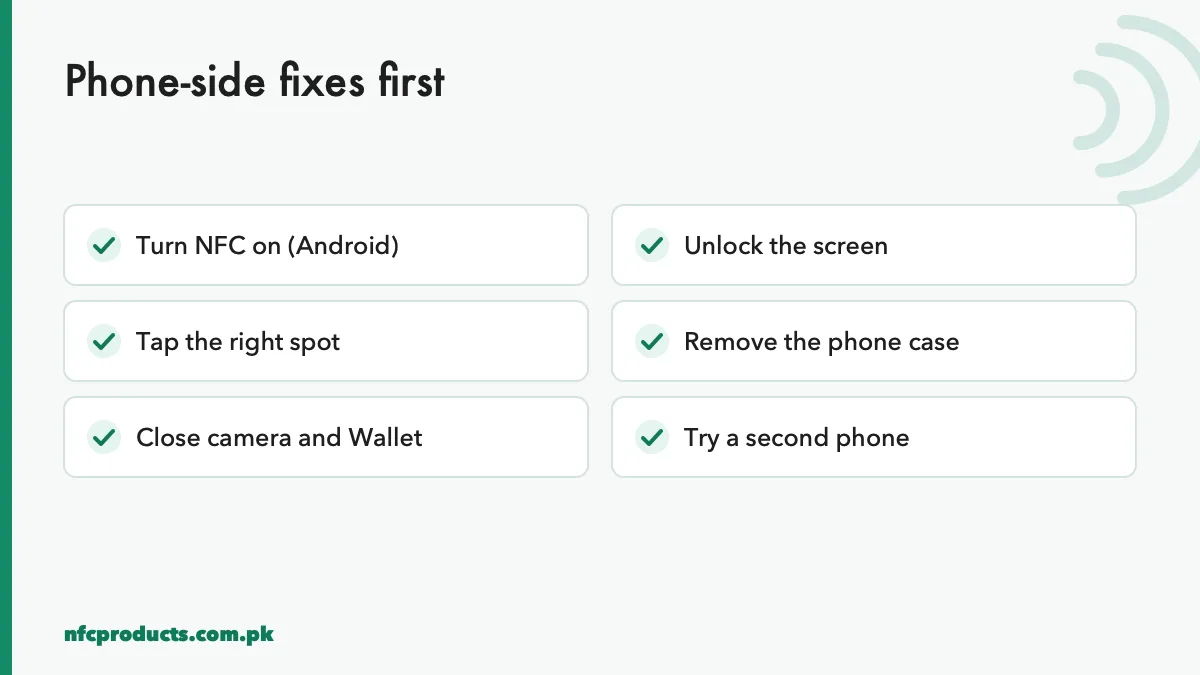
Six phone checks solve most problems.
Fix 1: Turn on NFC
Many Android phones ship with NFC switched off, and some battery saver modes turn it off again. Open Settings, search “NFC” and switch it on. On Samsung, it is under Connections → NFC and contactless payments. Our guide turn on NFC on Android lists the path for each brand. iPhone XS and newer have no switch; NFC is always on.
Fix 2: Unlock the screen
Android phones read NFC tags only when the screen is on, and usually only when unlocked. iPhones need the screen on. Ask the person to unlock their phone before tapping.
Fix 3: Tap the right spot
This is the most common cause of an NFC tag not reading. The phone’s NFC antenna is small:
iPhone: the top edge, near the camera. Hold the top of the phone to the card.
Android: usually the centre of the back, sometimes near the camera module.
Hold the card flat and still for two seconds. If nothing happens, slide it slowly across the upper half of the back.
Fix 4: Remove the phone case
Cases with metal plates, magnetic rings for car mounts, or wallet cases holding bank cards can block or confuse NFC. Take the case off and try again. If it works without the case, the case is the problem.
Fix 5: Close the camera, Wallet and NFC apps
iPhones pause background tag reading while the camera or Wallet is open. On Android, an open NFC app may capture the tag instead of letting the phone open the link. Close them and tap again.
Fix 6: Check the phone has NFC
Some phones, especially budget models, have no NFC at all. Search Settings for “NFC”; if there is no result, the phone cannot read the card. Offer a printed QR code instead. See NFC enabled phones in Pakistan.
Card-side fixes for an NFC tag not reading
If the card fails on several phones, check what is on it. Install NFC Tools or NXP TagInfo on an Android phone and use the Read function.
Fix 7: The card is blank
A blank card has an NFC chip but no data, so tapping it does nothing. This happens when a card was never encoded, or the encoding failed. The reading app will show no records. Write the link again, test it, then lock it. See how to program NFC tags.
Fix 8: The wrong record type
If the link was written as a plain text record, some phones, especially iPhones, will show nothing. Rewrite it as a URL record. Also check the link itself: a missing “https://”, a typo or an old profile address will open an error page, which people describe as “not working”.
Fix 9: The card is locked with old data
A locked card cannot be rewritten. If a client changed their profile link after the card was locked, the card will keep opening the old address. The fix is to redirect the old link to the new one on the website or platform, or to replace the card. This is why we recommend writing a link to a page you control, not a link that might change. See how to program and lock NFC tags.
Fix 10: The card is physically damaged
If the reading app cannot detect the chip at all on any phone, the NFC chip or antenna is probably damaged. Common causes:
The card was bent sharply, which can break the antenna or the chip bond.
A hole was punched through the antenna for a lanyard.
The card was cracked in a wallet or crushed.
The card was exposed to strong heat during printing or lamination.
A damaged card cannot be repaired. If it is Premium Grade from us and stopped tapping within 5 years, or Grade B within 1 year, it is covered by our replacement policy.
NFC card not working on iPhone but works on Android
This split is common and almost always about data, not hardware.
Text record instead of URL: rewrite as URL.
vCard stored on the chip: Android saves it easily, while iPhone support for contact records on tags has been limited. Use a link to a profile or hosted contact file. See NTAG213 vs NTAG215 guide.
Wi-Fi record: Android can join Wi-Fi from a tag; iPhones do not join directly from a standard Wi-Fi record. See NFC tag uses for business.
Older iPhone: iPhone 7, 8 and X need the NFC Tag Reader in Control Centre.
Intermittent reading usually means a weak coupling between the phone and the card:
Small tags such as 25 mm stickers and keychains need precise placement.
Thick card bodies or metal nearby weaken the signal.
Clone chips with poorly tuned antennas read inconsistently.
Metal surfaces under a normal sticker block it. Use anti-metal NFC tags on metal.
If a whole batch reads inconsistently, check the chips with NXP TagInfo. Genuine NXP chips with well-made antennas read consistently. See genuine NXP NTAG chip.
NFC standee or sticker not working on a counter
Review stands and table stickers have their own common problems:
Mounted on metal: a normal NFC tag on a metal counter, fridge or steel table stops reading. Use an anti-metal tag or move the stand.
Wrong tap area: customers tap the bottom of the stand while the chip is at the top. Mark the tap area clearly.
Link changed: the business changed its Google review link or page. Update the page the tag points to.
Tampered: an unlocked tag was overwritten by someone else. Lock tags after writing.
Mark the tap area clearly on stands and table cards.
How to prevent NFC not working complaints
If you sell NFC cards and stands to clients, most support messages can be prevented before delivery.
Buy tested stock. Our Premium Grade cards are read and write tested one by one. See the wholesale price list.
Write URL records only, pointing to a page the client controls.
Test on an iPhone and an Android phone before locking.
Lock after testing, so nobody can overwrite the link.
Print tap instructions on the product: “Tap the top of your phone here”.
Add a QR code on the back as a backup for phones without NFC.
Give clients a short guide, like this one, for their customers.
A quick diagnostic routine
When a client calls to say an NFC card is not working, run this routine over WhatsApp:
Ask them to tap a different NFC card or sticker with the same phone.
Ask them to tap the problem card on a second phone.
If both phones fail with the problem card, ask for a photo of the card to check for damage.
If only their phone fails, walk them through fixes 1 to 6.
If the card is blank or has old data, arrange re-encoding or replacement.
This takes a few minutes and usually solves the problem without sending the card back.
Why some NFC cards fail early
When a batch of cards stops working within months, the cause is usually one of four things. Knowing them helps you choose better stock and explain problems to clients.
Clone or low-grade chips
Some cards sold as NTAG215 carry compatible chips that are not made by NXP. Many work, but quality varies from batch to batch. Early failures, inconsistent reading and chips that refuse to lock are more common with low-grade chips. Check samples with the free NXP TagInfo app before accepting a large order. See genuine NXP NTAG chip.
Thin card bodies
A thin PVC body flexes in a wallet or pocket. Every bend stresses the tiny connection between the chip and the antenna. Thick premium PVC protects that connection, which is why Premium Grade cards use thicker material.
Printing damage
Card printers and laminators apply heat and pressure. Most NFC cards handle normal printing, but very high temperatures, repeated passes or heavy embossing over the chip can damage it. Always test one card from a new printer setting before running a full batch. See how to print on NFC cards.
Wrong product for the surface
A normal NFC sticker placed on a metal fridge, steel counter or machine stops reading because metal blocks the field. This looks like a failure, but the tag is fine. Use an anti-metal tag on metal.
What our replacement cover means
We replace any Premium Grade piece that stops tapping within 5 years of delivery, and any Grade B piece within 1 year. Grade C has no replacement cover. To claim, send the order number and a short video of the piece not reading on WhatsApp, and return the faulty piece. Physical abuse, such as cutting or punching through the antenna, is not a failure of the NFC card, so check that first.
For the technical background on how phones read tags, the official Android NFC documentation explains how Android detects tags and dispatches them to apps.
Frequently asked questions
Why is my NFC card not working?
Most often NFC is switched off, the phone is locked, or the card is not held against the phone's NFC area. Check these first, then check the card on a second phone.
How do I know if my NFC card is damaged?
If NFC reading apps cannot detect the chip on any phone, the chip or antenna is probably damaged, usually by bending, punching or cracking.
Can a damaged NFC card be repaired?
No. The chip and antenna are sealed inside. Replace the card, or claim a replacement if it is covered.
Why does my NFC card work on Android but not iPhone?
Usually the data is a text record, a vCard or a Wi-Fi record that iPhones do not open automatically. Rewrite it as a URL record.
Can a phone case stop NFC from working?
Yes. Cases with metal, magnets or other cards inside can block NFC. Remove the case and try again.
Why did my NFC card stop working after some months?
Physical damage is the usual cause, or a clone chip that failed early. Genuine NXP chips in thick material last years.
Can I reprogram an NFC card that shows the wrong link?
Only if it is not locked. If it is locked, redirect the old link on your website or replace the card.
Send the product, grade and quantity on WhatsApp or the quote form. We reply within business hours (10am to 7pm) with a confirmed price and delivery date.