Most happy customers never leave a review because it takes too many steps. An NFC review stand cuts it to one tap. Here are eight tactics that work, within Google's rules.
If you want to get more Google reviews, the biggest obstacle is not unhappy customers. It is effort. A satisfied customer who has to search your business name, find the reviews section, and tap “write a review” usually gives up before the end. An NFC review stand on the counter removes those steps: the customer taps their phone and the Google review form opens straight away.
This guide gives eight practical NFC tactics for shops, restaurants, salons and clinics in Pakistan, explains how to get the right Google review link, and covers what Google’s policies allow, so your new reviews help rather than put your listing at risk.
Why reviews matter so much for local businesses
When people search for a restaurant, salon or clinic near them, Google shows a map with three businesses and their star ratings. The number and quality of reviews influence which businesses appear and which ones get clicked. More recent, genuine reviews also reassure new customers. Google’s own help pages recommend asking customers for reviews and replying to them: see tips to get more reviews.
How NFC makes it easier to get more Google reviews
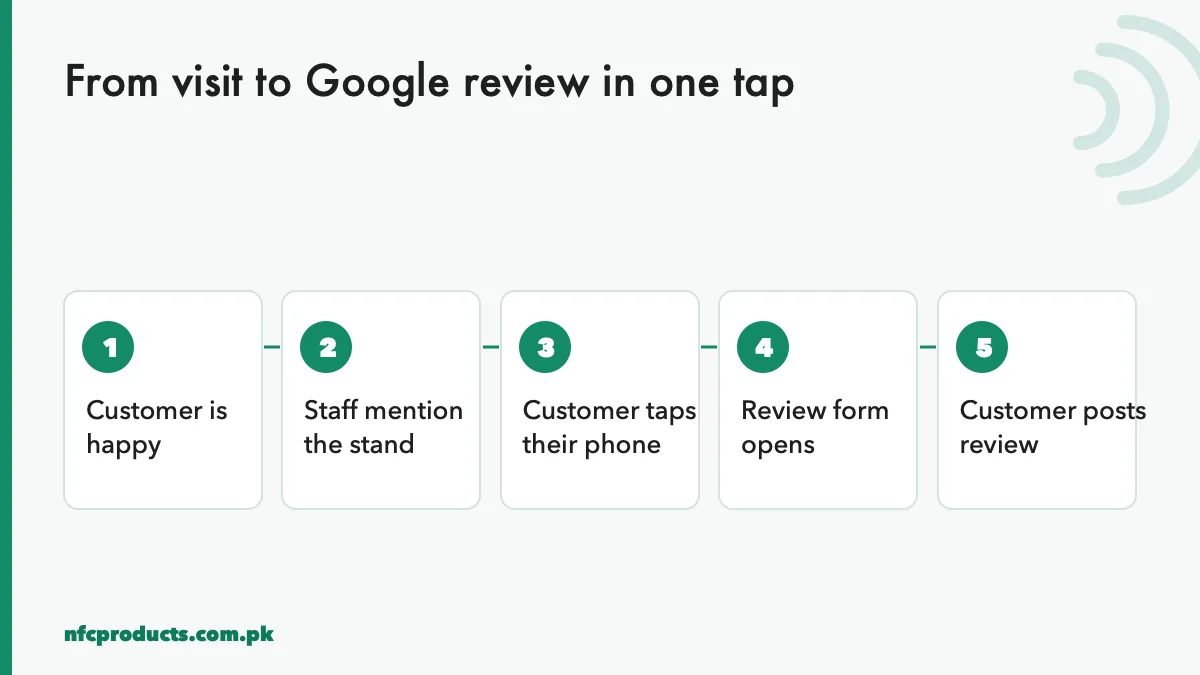
The review journey with an NFC review stand.
With an NFC review stand, the journey is short:
The customer is happy with their visit.
A staff member mentions the stand at the counter.
The customer taps their phone on the stand.
The Google review form opens with your business already selected.
The customer taps the stars, writes a line and posts.
No search, no typing your business name, no scanning in bad light. That is why businesses that add NFC review stands usually see more customers actually finish a review.
8 NFC tactics to get more Google reviews
1. Put the stand where the customer pays
The best spot is next to the till or card machine, at the moment the customer is standing, has their phone out, and the service is fresh in their mind. Place the NFC review stand within arm’s reach, facing the customer.
2. Use a clear, one-line instruction
Customers need to know what to do. Print one line on the stand: “Tap your phone here to review us on Google”. Mark the tap area with the NFC icon, at the top of the stand where the top of an iPhone naturally lands.
3. Train staff to ask in one sentence
A stand alone gets some reviews; a stand plus a spoken request gets many more. Give staff one simple line: “If you enjoyed your visit, you can tap your phone here to leave us a Google review.” Ask every customer, not only the happy ones (see the rules below).
4. Use the direct review link
The stand must open the review form directly, not just your business profile. Use the “Ask for reviews” link from your Google Business Profile, as explained below. This saves the customer two taps.
5. Add a QR code for phones without NFC
A few customers will have phones without NFC. Print a small QR code with the same review link on the stand. Nobody is left out. See NFC vs QR code.
6. Put review cards on tables and receipts
In restaurants, a small NFC table card or sticker lets diners review while waiting for the bill. In salons and clinics, an NFC card handed over with the receipt works well. See NFC sticker uses.
7. Give each branch its own stand
A chain should link each branch’s stands to that branch’s Google profile, so reviews land in the right place. We encode branch-specific links on bulk orders. See Google review stand bulk order.
8. Reply to every review
Replying shows new customers that you care and encourages others to write. Thank positive reviewers, and reply calmly to negative ones with a way to resolve the problem.
How to get your Google review link
Sign in to your Google Business Profile (search your business name on Google while signed in as the owner, or use the Business Profile app).
Find Ask for reviews or Get more reviews.
Copy the short review link Google gives you.
Test it on your phone: it should open the review form for your business.
Write that link to the NFC tag as a URL record, test it on an iPhone and an Android phone, then lock the tag.
If you order printed stands from us, send the link and we encode and lock every stand before dispatch. For writing tags yourself, see how to program and lock NFC tags.
What Google's rules allow
Getting more reviews must stay within Google’s policies, or reviews can be removed and the listing penalised.
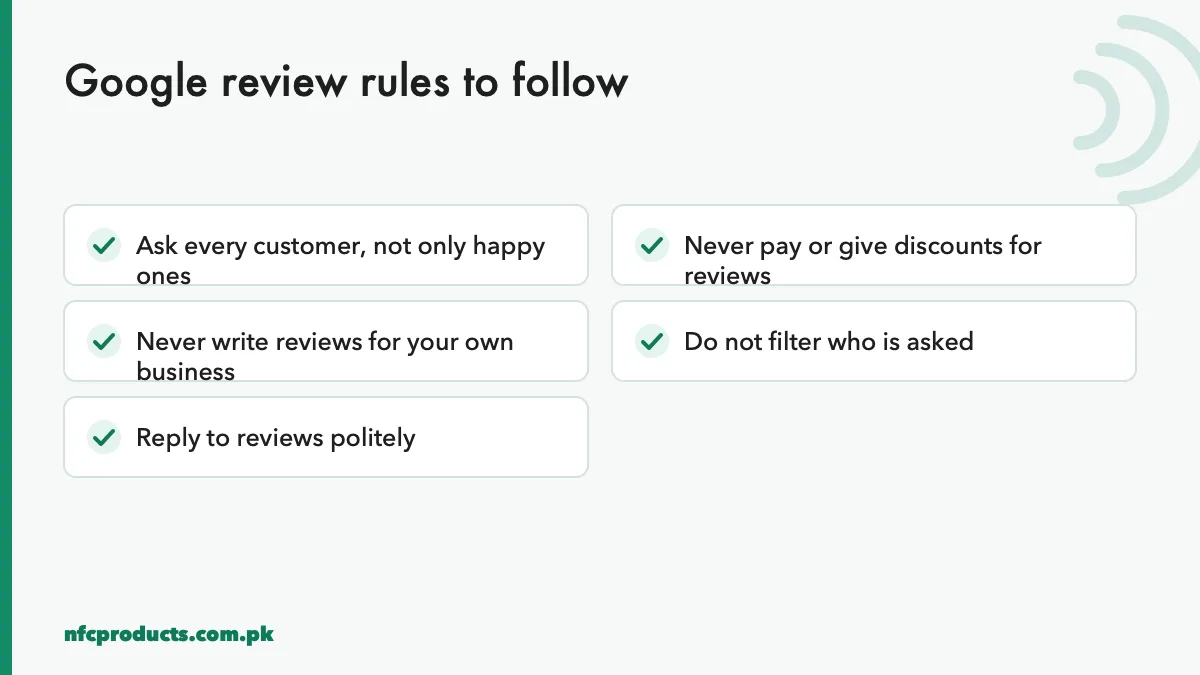
Stay within the rules so reviews stay on your profile.
Do ask every customer. Asking for reviews is allowed and encouraged.
Do not offer incentives. Discounts, free items or gifts in exchange for reviews are not allowed.
Do not filter. Do not ask only customers you expect to be happy (“review gating”).
Do not write your own reviews or ask staff and family to post fake ones.
Do not buy reviews. Paid review services break the rules and can get a listing suspended.
Google’s full rules are in its contribution policy. An NFC review stand is simply a faster way to reach the review form, so it fits these rules as long as you ask everyone and offer nothing in return.
Choosing an NFC review stand
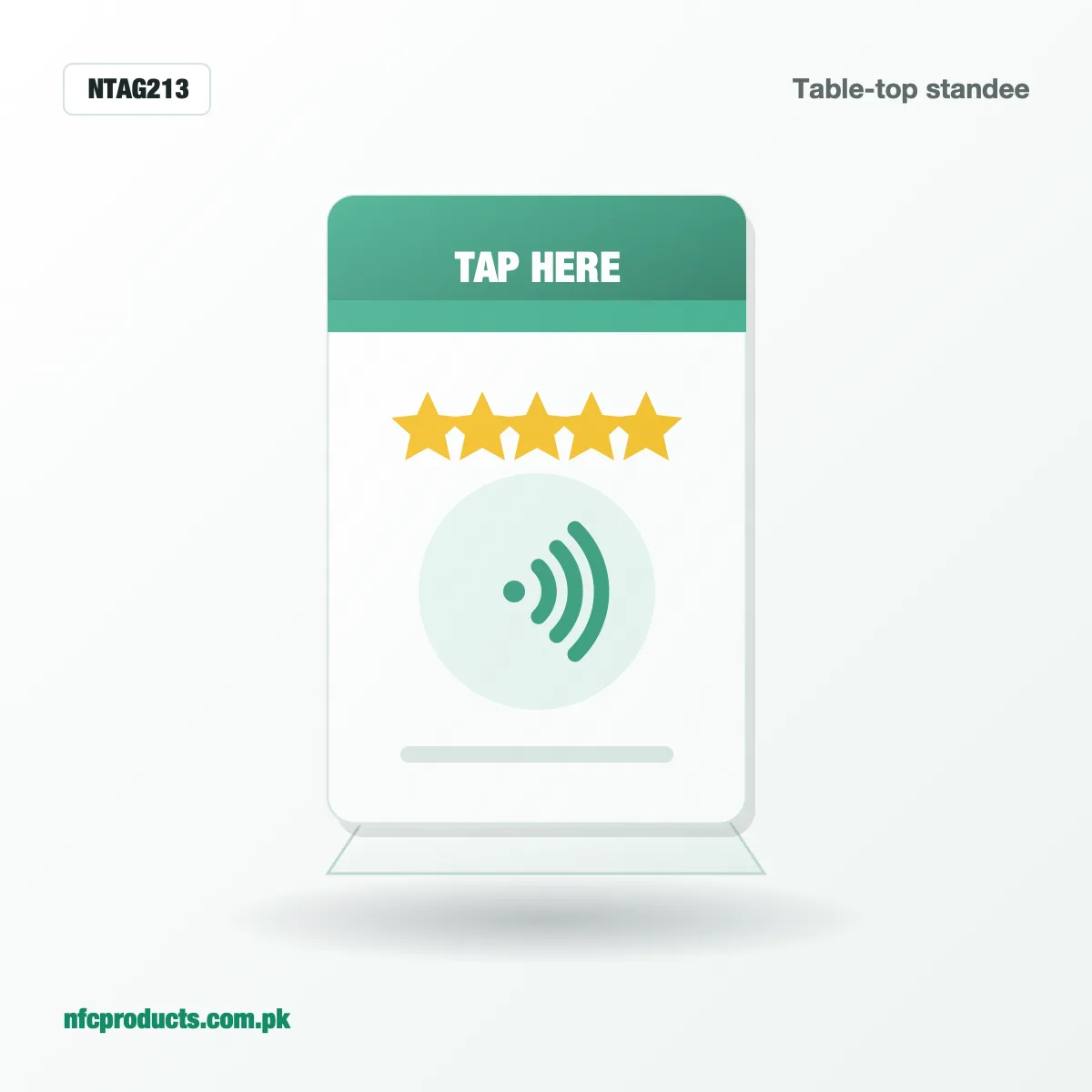
Table-top standee: a printed stand for counters, the most popular choice. From Rs 500 per piece at wholesale in Grade B. See NFC standees.
Desk plate: a 100 × 100 mm plate for reception desks, engraved or printed. See NFC desk plates.
Review card: a PVC card to hand over with receipts or keep at the till.
Sticker: a small NFC sticker added to an existing sign.
For metal counters, choose a stand that keeps the tag away from the metal, or use an anti-metal tag. A normal tag laid flat on steel will not read.
An NFC review stand: tap to open the Google review form.
Measuring the results
To see whether NFC helps you get more Google reviews:
Note your review count and average rating before the stand goes out.
Check the count each week for a month.
Compare branches or counters with and without stands if you have more than one.
Most businesses see the difference within weeks, especially where staff mention the stand consistently.
Common mistakes
Linking to the profile, not the review form. Customers then have to find the button themselves.
Hiding the stand behind the card machine or a display.
Not locking the tag, which lets anyone change the link.
Offering a discount for reviews, which breaks Google’s rules.
Forgetting the backup QR code for phones without NFC.
For printers and agencies
NFC review stands are one of the easiest NFC products to sell to local businesses: the benefit is easy to explain and easy to see. Offer a package of a printed stand, an encoded and locked tag, and a small table card. Our NFC standees are available blank for your own printing, or printed and encoded by us, with a minimum order of 50 for Premium Grade, 100 for Grade B and 150 for Grade C.
Examples by type of business
Restaurants and cafes
Diners are relaxed at the end of a meal, which is the best moment to ask. Place one stand at the cash counter and a small NFC table card on each table. Train the person who brings the bill to mention it. Link each branch’s stand to that branch’s profile so reviews do not mix between locations.
Salons and beauty clinics
Clients look at themselves in the mirror just before paying, and that is when they are happiest with the result. A small NFC sticker on the mirror frame or a desk plate at reception catches that moment. Staff can say: “If you like your hair today, tap here and tell others.”
Medical and dental clinics
Patients value reviews when choosing a doctor, but clinics must be careful with privacy. Keep the request simple and general, never ask patients to mention treatment details, and place the stand at the reception desk rather than in consultation rooms.
Retail shops and showrooms
In shops, the stand works best at the till, with a one-line request from the cashier. For showrooms selling cars, furniture or electronics, hand an NFC review card to the customer at delivery, when the purchase is complete and they are pleased.
Hotels and guest houses
Place a small NFC plate at reception and a card in each room. Guests often review on the last evening or at checkout, so a reminder at the front desk during checkout works well.
Turning reviews into more business
Reviews help twice: they bring new customers from search, and they tell you what to improve. Read every review, look for patterns such as slow service at weekends or a staff member who is often praised, and act on them. Reply publicly to show new customers that you listen. Over months, a steady flow of genuine reviews through your NFC review stand becomes one of your most valuable marketing assets, and it costs less than a single newspaper advert.
Frequently asked questions
How can I get more Google reviews quickly?
Make reviewing as easy as possible with an NFC review stand at the till, ask every customer in one sentence, and reply to reviews.
Is it allowed to use an NFC stand for Google reviews?
Yes. It is just a faster way to open the review form. Follow Google's rules: ask everyone and offer no incentives.
Where do I find my Google review link?
In your Google Business Profile, under Ask for reviews or Get more reviews.
Can I give a discount for a Google review?
No. Google's policies do not allow incentives for reviews.
Does the NFC review stand work with iPhone?
Yes. iPhone XS and newer open the review link automatically when tapped. Older iPhones and phones without NFC can use the printed QR code.
How much does an NFC review stand cost?
At wholesale, our NFC standees start at Rs 500 per piece in Grade B, with printing and encoding quoted per order.
Can one stand serve several branches?
Each stand should link to one branch's Google profile. Chains order separate stands per branch.
Send the product, grade and quantity on WhatsApp or the quote form. We reply within business hours (10am to 7pm) with a confirmed price and delivery date.